Showing posts with label vxdiag vcx se. Show all posts

1/02/2024

New VXDIAG Nissan License for VCX SE VCX DoIP

 Nissan software license is ready for VXDIAG VCX SE & VCX DoIP diagnostic scanners.


License: for Nissan Infiniti GTR

Software: Nissan Consult iii plus V226

Update: by link. Firmware update online.

Multi-language

Operating system: Windows 10

VXDIAG Nissan License


How to Add Nissan License to VXDIAG VCX SE/VCX DoIP?

1. Purchase Nissan license here

https://www.obdii365.com/wholesale/vxdiag-nissan-software-license.html

2. Provide your vcx se or vcx plus device serial number to obdii365.com customer service

3. We will activate license to your device in 2-3 working days.

4. Download Nissan consult3 plus and vxdiag driver


nissan consult 3 plus v226

NOTE:

1.

Make sure your vcx se/vcx plus has the following serial numbers, otherwise may not allow you to activate license.

VCX SE V94SE****, VCX Multi V52XP****, V71XN****, V81XD****, V83XD****, V94XD*****, VCX PRO P71XP****.

2.

Nissan uses seperate license as Renault and PSA. Don’t need to install Nissan driver in vx manager.

3. If you don’t have any Vxdiag device yet, go for

VXDIAG VCX NANO for Nissan (single brand device, WiFi version only)

VXDIAG VCX SE for Nissan (with Nissan license, allow to add other car brands to the device)


VXDIAG Nissan functions:

Nissan Consult-3 Plus is the newest Nissan diagnostic tool. Nissan Consult-3 Plus diagnosis system is based on a wireless platform provides completed diagnosis and service information. It supports Nissan, Infiniti and GTR diagnostics and programming.

Nissan Consult3 Plus can support all the models of the Nissan and Infiniti from 2005 up to Now, with all Consult II & III functions.


You can also use VXDIAG VCX SE as a Passthru for Nissan

How to Configure Nissan Consult III+ with Passthru Devices?

11/08/2023

Free Download Diagbox 9.150 Software

 Peugeot Citroen DS Opel Diagbox 9.150 was tested and approved works perfectly. Obdii365.com here provides software download for free.


Free download Diagbox 9.150

Free download Diagbox 9.150

Already patched. Don’t need activation.

If your system doesn’t have diagbox versions, run 1-Block defender to close anti-virus programs. Then run Diagbox 9.150.exe.

If your system has other diagbox version installed, run 1-Block defender, then run 2-Diagbox_Cleaner to delete other diagbox versions, then run Diagbox 9.15.exe


Software version: Diagbox 9.150, no vmware

Operating system: Windows 10/Windows 11 64bit

Vehicle coverage: Peugeot, Citroen, DS, Opel till 2023

What is the firmware used with this version?

1. Lexia 3 full chip, it will support all Diagbox 9.xx versions. there is no solution for old and Lite Lexia3 VCI

2. VXDIAG VCX SE/VCX DoIP with PSA license

PSA Peugeot Citroen Diagbox License is Ready on VXDIAG!

*VXDIAG is good on 2006- CAN BUS models. For older Kline models, use lexia3.


Multilingual:  English, German, Danish, Spanish, French, Italian, Dutch, Portuguese, Suomi, Swedish, Romanian, Croatian, Hungarian, Czech, Polish, Greek, Slovenian, Polish, Korean, Turkish etc

Diagbox 9.150 language

Diagbox 9.150 software display

Diagbox 9.150 software 1

Diagbox 9.150 software 2

Diagbox 9.150 software 3

Diagbox 9.150 software 4

Diagbox 9.150 software 5

Diagbox 9.150 software 6

Diagbox 9.150 software 7


11/07/2023

VXDIAG VCX SE Update PSA Diagbox License

 Good news! VXDIAG released new PSA Peugeot Citroen DS software for vxdiag diagnostic tools.


Compatible devices:  VXDIAG VCX SE, VXDIAG VCX DoIP series


*VXDIAG does not have a single vcx nano for PSA yet.

*Available for VCX SE V94SE****, VCX Multi V52XP****, V71XN****, V81XD****, V83XD****, V94XD*****, VCX PRO P71XP****.

*Must enable PSA license to use diagbox software.


How to Activate PSA License to VXDIAG scanners?


1. Purchase PSA license authorization

https://www.obdii365.com/wholesale/vxdiag-psa-software-license.html

2. Install PSA license in vx manager


VXDIAG VCX SE Update PSA Diagbox 1

3. Update firmware and license in vx manager

VXDIAG VCX SE Update PSA Diagbox 2

4. Install and activate Diagbox software


1/11/2023

VXDIAG VX Manager, Firmware, License and Driver Update

 Here is the newbie instruction to update VXDIAG VX Manager, Firmware, License and Drivers. The instructions can be applied to all VXDIAG VCX NANO, VCX SE and VCX Plus diagnostic tools.

How to Update VXDIAG VX Manager?

Visit www.vxdiag.net official website and download the latest version vx manager driver.

update vxdiag vx manager

or download here directly

http://www.vxdiag.net/managecenter/download/vxdiag.zip

Here is current version 1.8.9 on Mega as well.

https://mega.nz/file/udohRDTb#xrt4ui1A2yh0GnOWHPmm2jsAdD7PU3G7vcU2K3tCtYA

Then install vx manager.

install vx manager

(Install it on Win7, Win8, Win10. WinXP is not supported).


How to Install and Update VXDIAG Device Driver?

Connect vcx nano/vcx se or vcx plus with laptop via USB cable

Go to the Diagnostic tab in vx manager.
Make sure your Passthru and corresponding device driver are installed.

update vxdiag vx manager device driver 0

If not installed, press icon and “Install” it.

If there is a purple icon of the driver which means there is a new software version update that needs newer driver support.
Press the corresponding driver and Update driver.

update vxdiag vx manager device driver 1

update vxdiag vx manager device driver 2

How to Update VXDIAG Scanner Firmware?

After installing latest vx manager, connect press Firmware upgrade

update vxdiag firmware
Check if there is a new VCI update, Press Yes to update
If it is DoIP device, update both VCI and DoIP firmware.

update vxdiag doip vci

How to Update VXDIAG License?
Press “Update License”

update vxdiag licese

NOTE: Always update firmware first, then update license afterwards.

Check when your license will expire in “Licenses” tab.

Vxdiag license should be renewed every 60 days starting from year 2021.

Renew license requires update vxdiag vci firmware as well.

vxdiag license

Some Common errors and solutions about vx manager firmware, license and diver:

1). If vx manager has error  “Updated license failed! Retry. ErrorCode:8001”

vxdiag vx manager error code 8001

Make sure you have updated both VCI and DoIP firmware.

Then update firmware and license again. Sometimes need to update firmware and license for several times to set it up.


2). No device in vx manager

vxdiag no device

1. Please check if the vx manager is newest v1.8.9 version. If not, please uninstall old version, then download new version from www.vxdiag.net. Install the new version vx manager to try again.

2. If still no device, please change USB port or USB cable to try.

3. Disconnect device from laptop and car, after 3 minutes, connect again.

4. Please open Network connection on control panel, find Ethernet (Realtek USB FE Family Controller), check the IP address is correct. Correct IP should be 192.168.171.1 or 192.168.8.1.If IP is not correct, need to reset firmware.


3). Error : “The device license for this application is invalid or expired ” when install device driver.

The device license for this application is invalid

VX Manager manager is too old. Update to latest version and try again.


4).  License invalid, please update VCI.

Solution: The error is usually caused by missing license. Check available license in “Licenses” area
If cannot see your license, contact your dealer to add license to your vcx se.


5). Not Found Device or License.

Solution: It is driver problem Update firmware in vx manager.

Then re-install devicedriver.


6).  Update license Failed. Error 4001
There was an error communicating with the server.

Solution: Always update the firmware first, then update license.

2/14/2022

How to Enable VXDIAG VCX SE Benz with Xentry Passthru?

 VXDIAG VCX SE Benz can work on Benz C6 mode with Xentry OpenShell. It can also work on Passthru Mode.  Here is the tip to set up vxdiag vcx se Benz to work on Passthru mode with Xnetry, DTS Monaco and Vediamo.


Benefits of the vcx se over Openport as Passthru:

  • The main reason for buying vxddag is that it has DoIP for new cars.
  • vcx se connects via WiFi and it’s very convenient
    there is already a Type C connector and it is held very tightly
  • vxdiag will also work on Passthru Mode
  • vxdiag allows firmware update and being able to add other brands to the device

Enable VXDIAG VCX SE Benz with Xentry Passthru 1

We will show you how to install drivers and connect via WiFi.  There is no difference through the cable USB connection.  We already tested the speed connections both via cable and via WiFi.

It is the same.


VXDIAG VCX SE Driver Setup for MB Xentry PassThru J2534:

First of all, download the latest version of the driver vx manager here

VX Manager driver 1.8.6


Install vx manager

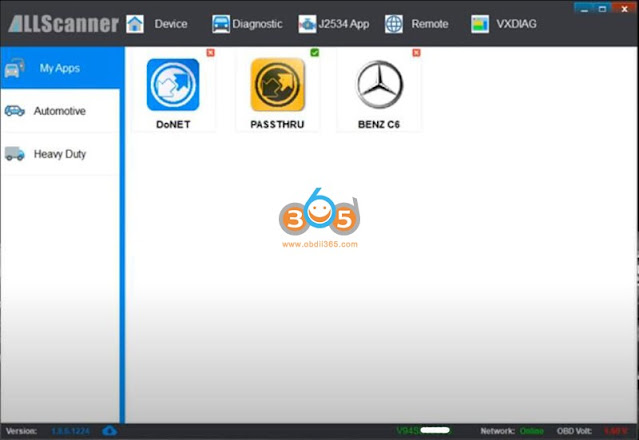
It has many programs to install. In this case, we install Passthru-J2534 program only.

Enable VXDIAG VCX SE Benz with Xentry Passthru 2

Enable VXDIAG VCX SE Benz with Xentry Passthru 3

Enable VXDIAG VCX SE Benz with Xentry Passthru 4


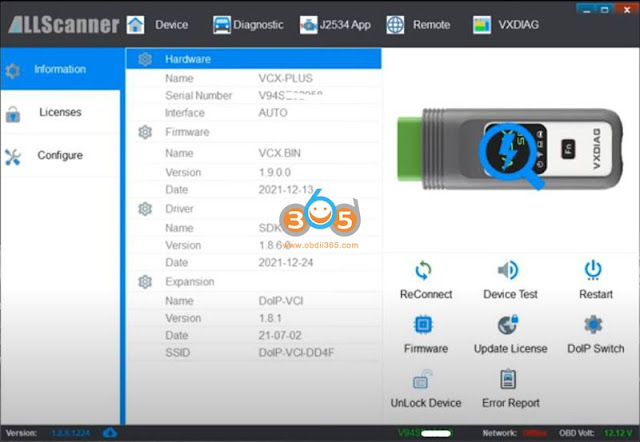
vcx se was connected, vx manager detects device information

Enable VXDIAG VCX SE Benz with Xentry Passthru 5

Enable VXDIAG VCX SE Benz with Xentry Passthru 6

Enable VXDIAG VCX SE Benz with Xentry Passthru 7

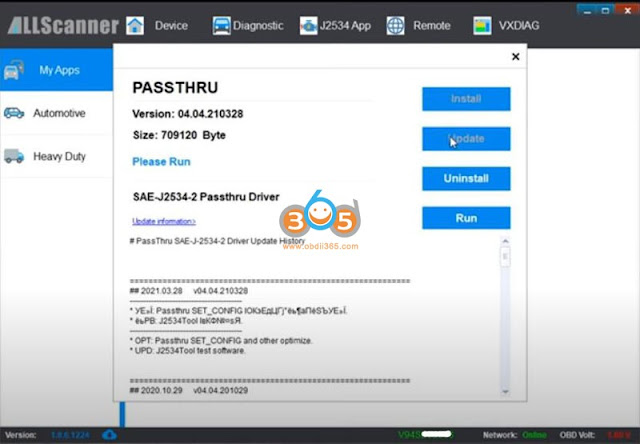
Passthru driver has been installed. DON’T install Benz C6 driver. If you have installed C6 driver, Uninstall it.
Update License
Update Firmware

Enable VXDIAG VCX SE Benz with Xentry Passthru 8

Enable VXDIAG VCX SE Benz with Xentry Passthru 9

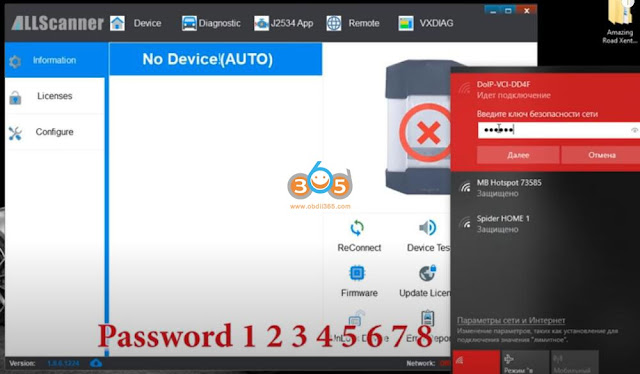
Pair vcx se with WiFi
WiFi password is :123456

Enable VXDIAG VCX SE Benz with Xentry Passthru 10
ReConnect Device

Enable VXDIAG VCX SE Benz with Xentry Passthru 11

Connect vcx se benz with vehicle via OBD socket

Enable VXDIAG VCX SE Benz with Xentry Passthru 12

Run Xentry Diagnosis program

Enable VXDIAG VCX SE Benz with Xentry Passthru 13

Choose vxdiag-j2534 as passthru device

Enable VXDIAG VCX SE Benz with Xentry Passthru 14
You can start diagnosis and coding with vcx se passthru software.


Disclaimer: We don’t have Xentry passthru software for sale. If you want to use Vxdiag passthru with Mercedes you need to buy a full Mercedes license. Vxdiag passthru license is not a general j2534 license for all brands.

www.obdii365.com

http://blog.obdii365.com/2022/02/14/set-up-vxdiag-vcx-se-benz-as-xentry-passthru/